Inventory & pricing
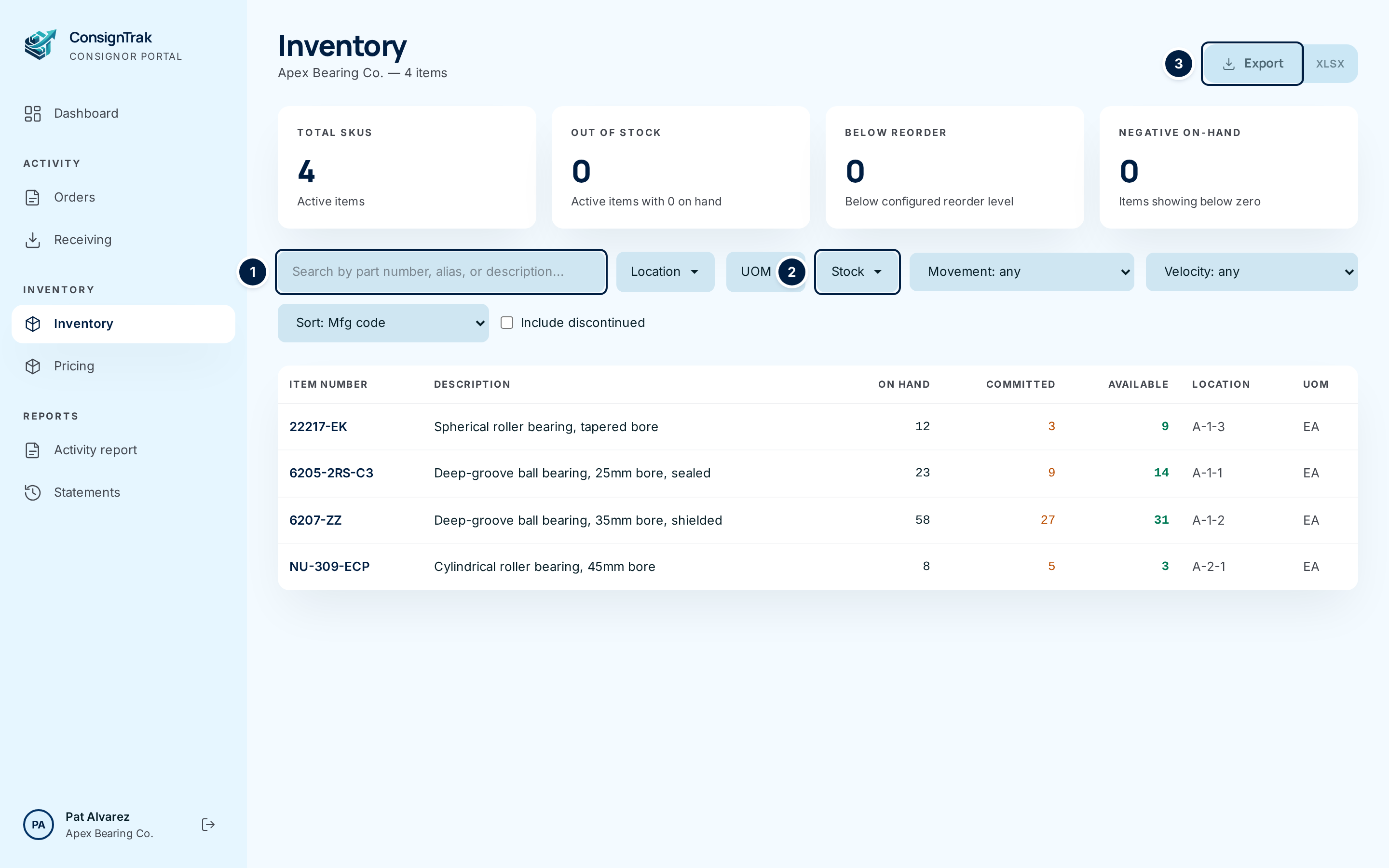
The Inventory and Pricing items in the portal sidebar are where you look after your own catalog at the warehouse. You can see every item the warehouse holds for you and how much of it is free to sell. You can also publish the list prices the warehouse shows beside those items.
Everything here is scoped to your company. You never see another supply partner's items or prices, and nothing you change here touches theirs.
Where to find it
Both pages sit under Inventory in the portal sidebar. The dashboard also links into them. The Items missing a price card on the dashboard opens your Inventory list filtered to the items that don't have a price yet.
The pages in this chapter
| Page | What you'll do there |
|---|---|
| Your inventory | Browse and filter your items, open one to see stock, locations, recent shipments and its price history, and download the list as CSV or Excel. |
| Editing your own items | Correct an item's description, reorder level or selling unit, if the warehouse has turned this on for you. |
| Prices | Set a price for one item, schedule a future price, end or cancel a price, and keep notes on it. |
| Bulk price import | Download your prices, change them in a spreadsheet, and upload the file to update many at once. |
| Bulk adjusting prices | Raise or lower all your prices, or a searched group of them, by a percentage. |
Three numbers you'll see everywhere
| Number | What it means |
|---|---|
| On hand | How many are physically in the warehouse. |
| Committed | How many are already promised to open orders. |
| Available | On hand minus committed. This is what can still go out on a new order. |
The stock at the warehouse is yours. The warehouse holds it and ships it on your behalf, but you set the list price and you invoice your customers. The prices you publish here are reference values. They don't create invoices, and the warehouse doesn't change them.
Related
- The portal dashboard: the stock and pricing cards that link here.
- Supply Partner and consignment in the glossary.