Stuck receipts
What this is
A receiving batch that sits unfinished means goods are on the dock or on a shelf but not in available stock — so they can't be sold or picked. ConsignTrak flags these stuck batches on the Live operations wallboard so someone notices. An administrator decides how many hours counts as "too long".
Before you start
- Role: anyone who can see Receiving sees the flag. Changing the number of hours needs an Administrator.
- Settings: Stuck batch threshold (hours) in System configuration. It starts at 4 hours.
- You'll need: nothing.
Step by step
-
Spot the flag. On the Dashboard, choose Live operations. When a batch is stuck, the attention strip at the top shows an amber chip like 1 receiving stuck >4h, and the batch's card in the active-work column gets an amber edge and a Stuck pill.
-
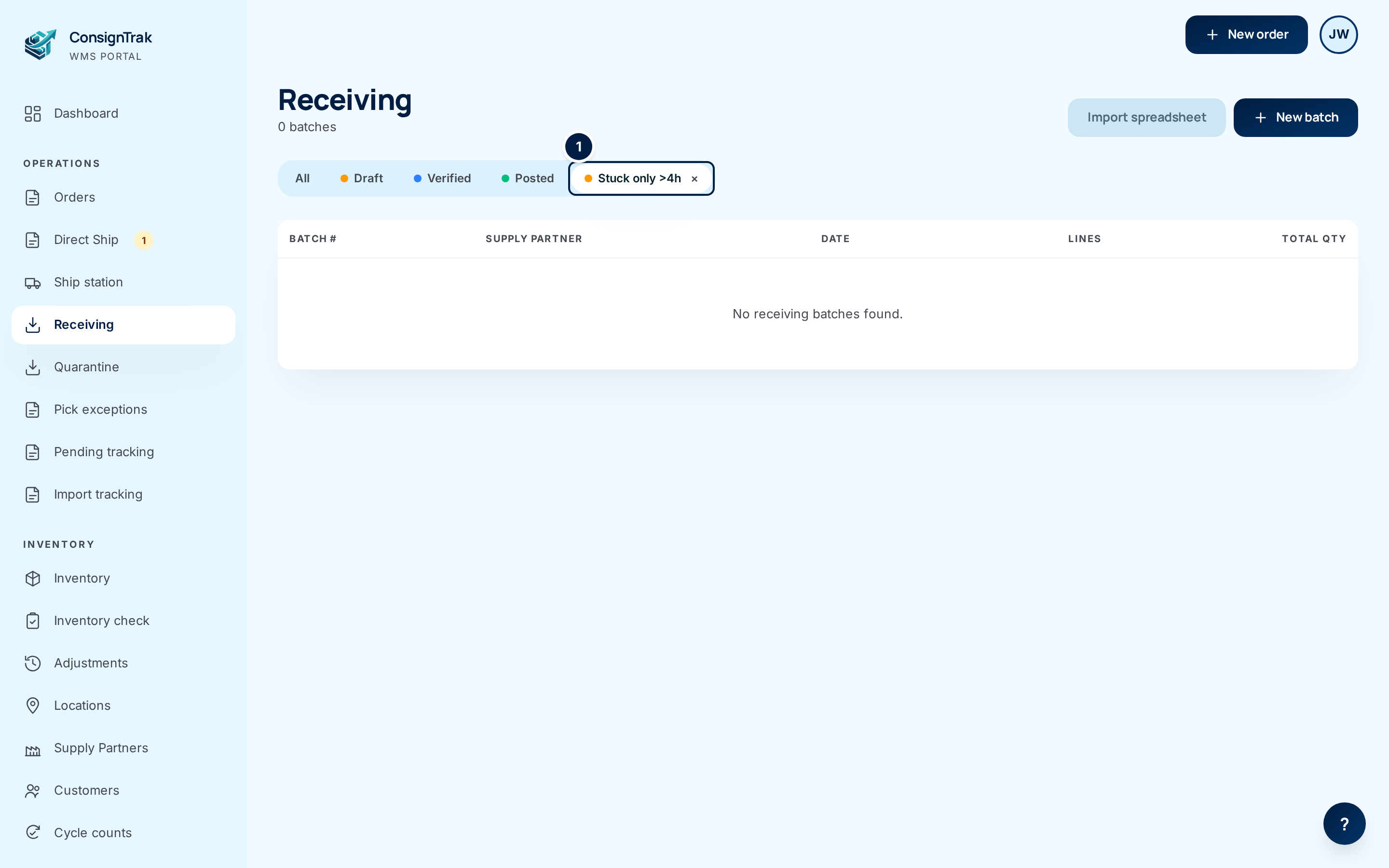
Open the list. Click the chip. The Receiving list opens with the filter Stuck only >4h ① switched on. Click the filter's × to go back to the full list.
-
Unstick it. Open each batch and finish its next step:
- a Draft — finish the lines and choose Ready to Inspect (see Receiving a shipment);
- a Verified batch — inspect the pending lines and post it (see Inspecting and Posting to inventory);
- a batch that should never have existed — revert it to Draft if needed, then Delete Batch.
-
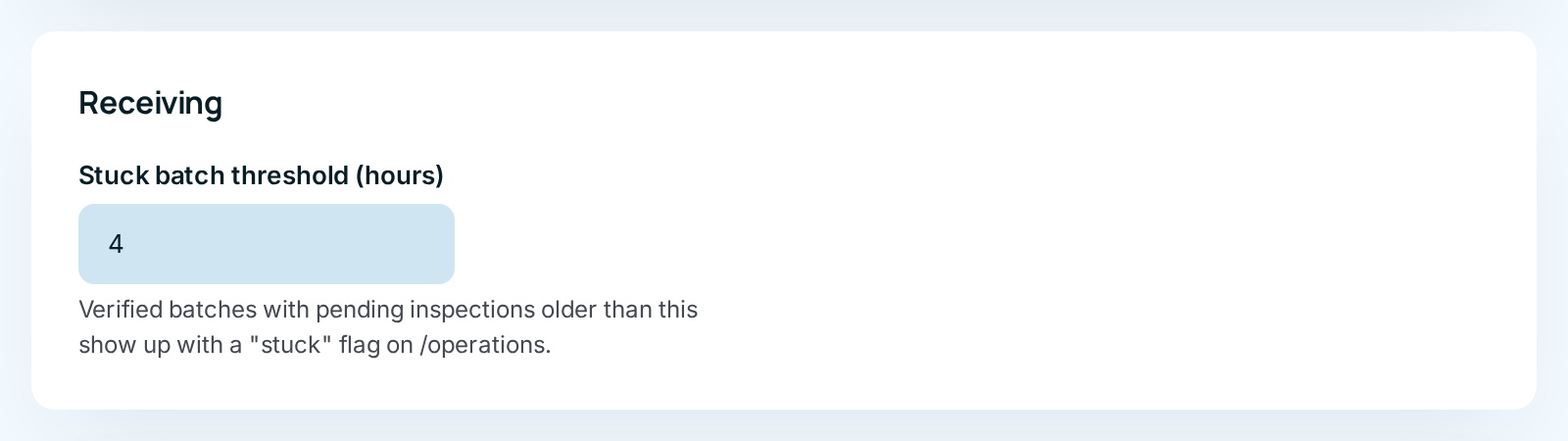
Change the threshold (Administrators). Open System configuration and find Receiving. Set Stuck batch threshold (hours) to anything from 1 to 168 (a week), and save the page.
The wallboard chip and the list it opens don't count quite the same batches today:
- The chip counts Verified batches that still have a line waiting for inspection which nobody has touched for longer than the threshold.
- The Stuck only list shows Draft or Verified batches that nobody has changed for longer than the threshold.
So the list can show more batches than the chip — old drafts, for example — or occasionally fewer. Work through the list; it's the wider net. (Tracked as issue #1504.)
Every field and option
| Field or control | What it means | Required | Default | What changes when you set it |
|---|---|---|---|---|
| N receiving stuck >Nh (wallboard chip) | How many Verified batches have a pending line older than the threshold. Only shown when there's at least one. | — | — | Click to open the Stuck only list. |
| Stuck pill (wallboard card) | This batch is one of them. | — | — | Click the batch number to open it. |
| Stuck only >Nh × (Receiving list) | The stuck filter is on. | — | — | Click to clear it. |
| Stuck batch threshold (hours) (System configuration) | How long before a batch counts as stuck. Whole hours, 1–168. | — | 4 | Changes both the chip and the list from the next page load. |
The rest of the Receiving list is described on Receiving a shipment.
What happens next
- Once a batch moves on — inspected, posted, deleted — it drops off the chip and the list at the next refresh. The wallboard refreshes itself every few seconds.
- Nobody is emailed about stuck batches; the wallboard is the alert.
Common problems
The chip says 1 but the list shows several batches (or none). — The two use different rules; see the note above.
A batch I'm working on right now shows as stuck. — Adding or editing lines resets the clock for the list; inspecting a line resets it for the chip. If the batch is simply big, raise the threshold.
I can't find the setting. — System configuration is only for Administrators.