Receiving statuses
Every receiving batch has one status, shown as a colored pill beside its number and as the color of the batch number in the Receiving list. Every line on a batch has an inspection result of its own.
Batch statuses
| Status | Color | What it means | Stock affected? | What you can do | Moves to |
|---|---|---|---|---|---|
| Draft | Amber | The shipment is being entered. Lines can be added, edited and removed. | No | Add, edit, remove lines; Bulk location; Delete Batch; Ready to Inspect | Verified (Ready to Inspect), or gone (Delete Batch) |
| Verified | Blue | Lines are locked for inspection. | No | Inspect and re-inspect lines; Revert to Draft; Post to Inventory once nothing is pending | Posted (Post to Inventory), or Draft (Revert to Draft — clears all inspection results) |
| Posted | Green | In stock. Passed units are available; failed units are in quarantine. | Yes | View; Manage in quarantine → on failed lines; Void Batch | Voided (Void Batch) |
| Voided | Grey | A posted batch that was reversed. Kept for the record, with its reason. | Reversed | View only | — (final) |
A batch moves one way through these, except for Revert to Draft:
Draft → Verified → Posted → Voided
See Receiving a shipment, Inspecting and Posting to inventory for each step.
Line inspection results
| Result | Pill | What it means | When posted |
|---|---|---|---|
| pending | Grey | Not inspected yet. A batch with any pending line can't be posted. | — |
| passed | Green | Nothing failed. | All units go into available stock. |
| partial | Amber | Some units failed. The numbers beside it read passed/failed. | Passed units to available stock; failed units to quarantine. |
| failed | Red | Every unit failed. | All units to quarantine. |
| waived | Blue | Seen only on older batches — the line was let through without inspection. That option has been retired. | All units went into available stock. |
On the batch page the lines are grouped the same way: Pending Inspection (pending), Failed Inspection (failed and partial) and Passed Inspection (passed and waived).
Filtering the list by status
The pills above the Receiving list filter it. Click Draft ②, Verified ③ or Posted ④ to show only those; click more than one to combine them, and click a highlighted pill again to drop it. All ① clears the filter and also shows Voided batches, which have no pill of their own.
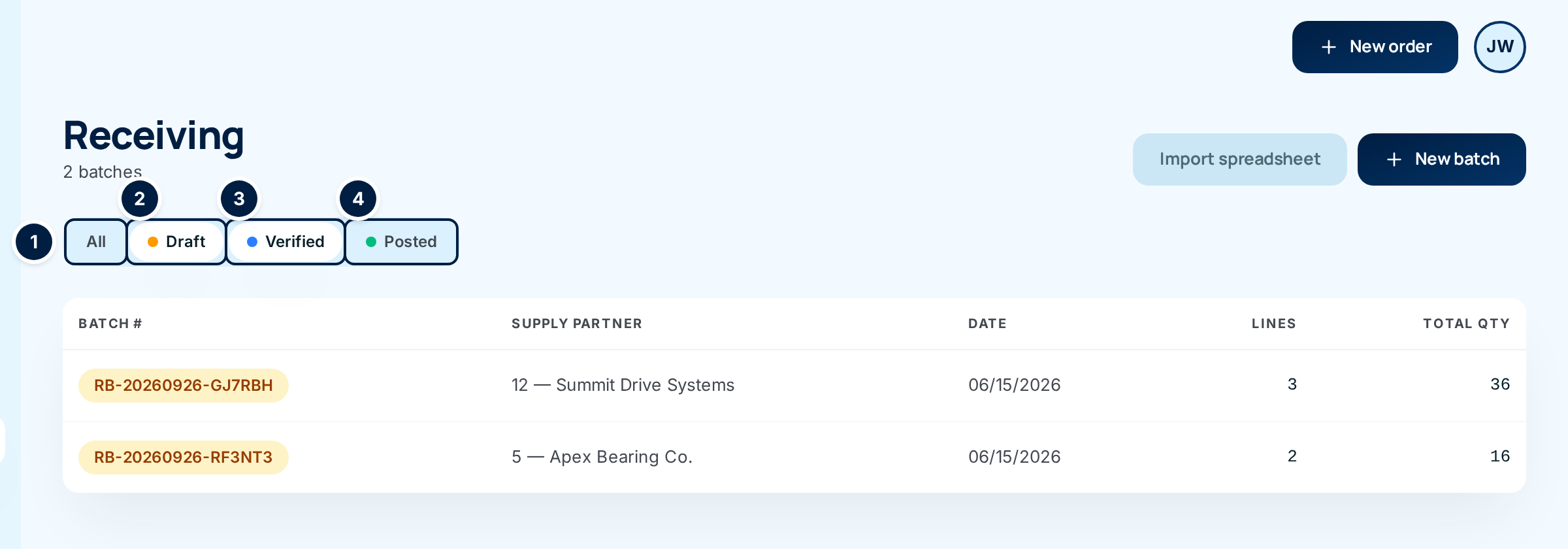
A fifth filter, Stuck only, appears only when you arrive from the wallboard — see Stuck receipts.
Where else you see these
- Live operations counts Draft and Verified batches, batches posted today and batches voided today.
- The supply partner sees the same statuses on their receivings in the portal.