Receiving
When a supply partner sends stock to the warehouse, it comes into ConsignTrak as a receiving batch: one shipment, for one supply partner, with a line for every item in it. Nothing on the shelf counts as available stock until the batch has been counted, inspected and posted to inventory.
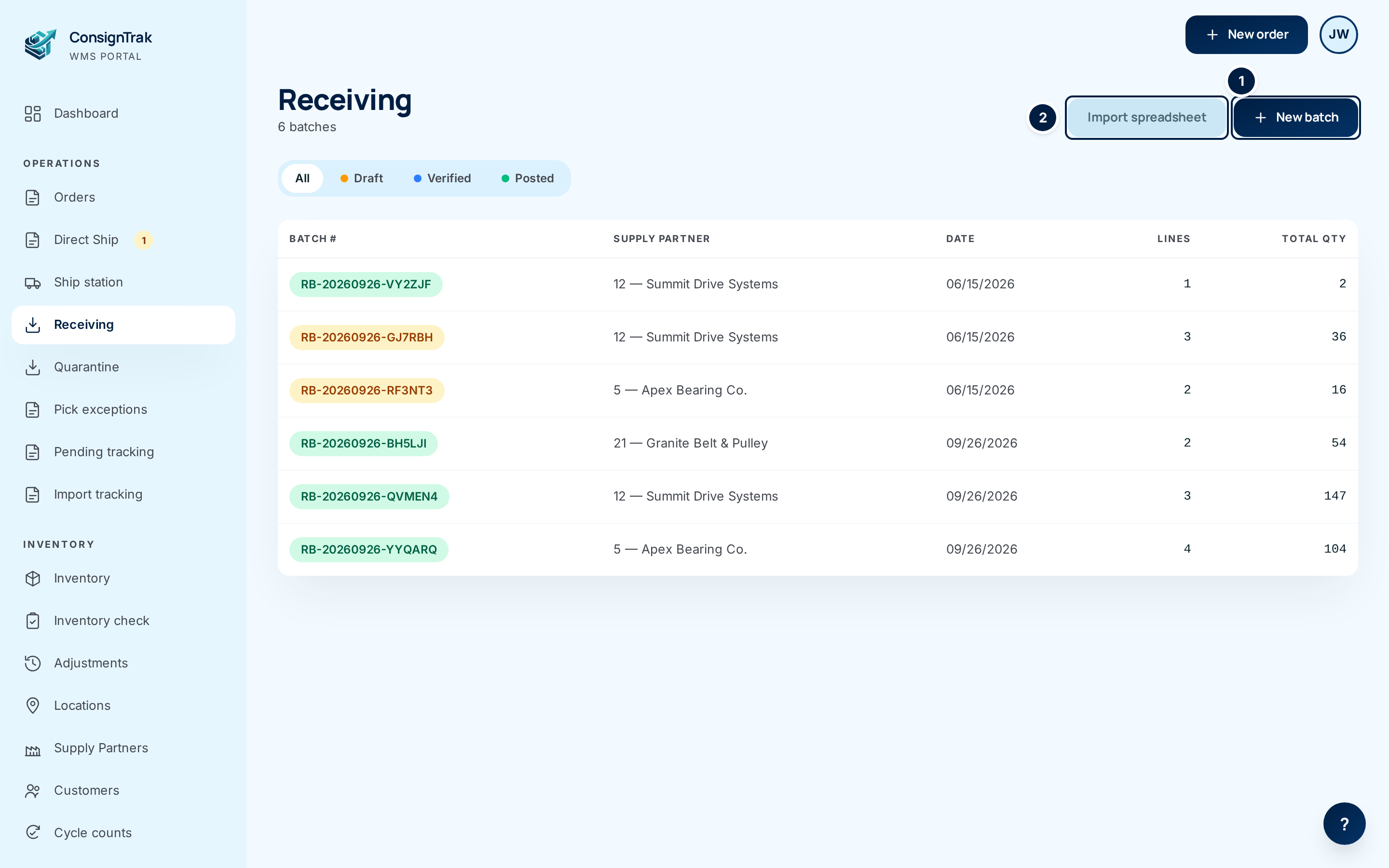
The three steps every shipment goes through
| Step | Status afterwards | Who usually does it | Page |
|---|---|---|---|
| 1. Create the batch and add a line for each item, with the count and where it's put away. | Draft | Office or warehouse | Receiving a shipment — or Importing a stock-transfer spreadsheet when the supply partner sent one |
| 2. Lock the lines and inspect each one: how many passed, how many failed. | Verified | Office moves it on; office or warehouse inspects | Inspecting a receiving batch |
| 3. Post the batch. Passed units go on the shelf; failed units go to quarantine. | Posted | Office or Administrator | Posting to inventory |
A posted batch can still be voided if it was posted by mistake — see Posting to inventory.
The supply partner owns this stock; the warehouse holds it for them. Every unit that goes on the shelf is recorded as a movement against that supply partner, in the same step as the stock level changes. That record is what you show a supply partner — or an auditor — when they ask where their parts went.
In this section
- Receiving a shipment — creating a batch by hand and adding lines.
- Inspecting a receiving batch — Ready to Inspect, pass and fail, photos.
- Posting to inventory — what changes, and how to undo it.
- Importing a stock-transfer spreadsheet — let the supply partner's file build the batch.
- Stuck receipts — batches that have been waiting too long.
- Receiving statuses — Draft, Verified, Posted and Voided at a glance.
Receiving on a phone, at the dock, is covered in Receiving, quarantine & counts. It works on the same batches — a batch started on a phone shows up here, and the other way round.