Locations & bins
Every piece of stock in the warehouse sits somewhere, and ConsignTrak records exactly where. That "somewhere" is a location, also called a bin. This section covers setting locations up, labelling them, moving stock between them, and keeping them healthy.
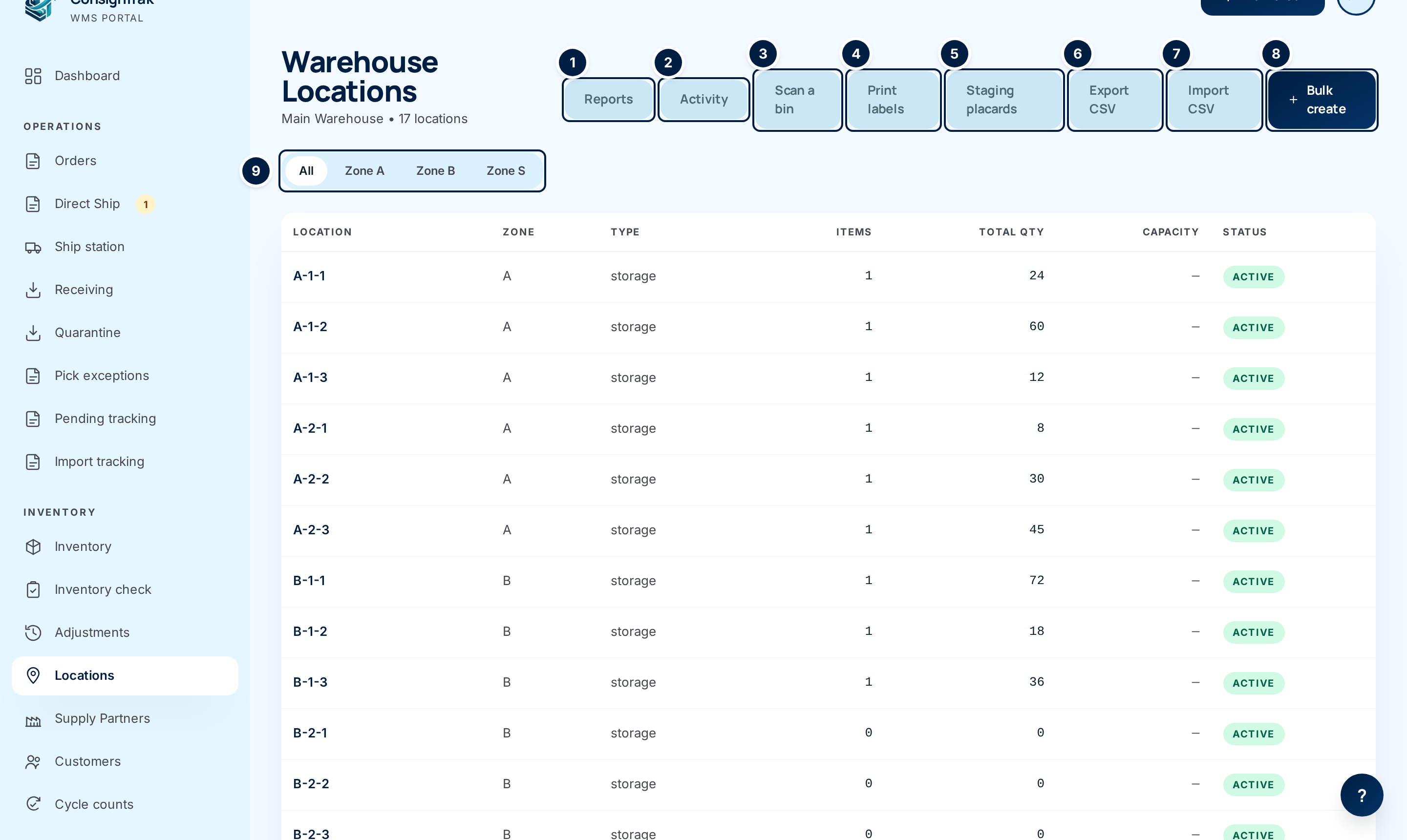
How a location is named
Each location has a location code: the short name printed on its label
and scanned on the floor, such as A-1-2. The code is the only thing that
must be unique. ConsignTrak doesn't force a format, so use whatever matches
the signs on your racks.
Behind the code, a location can also record where it sits in the building, from the broadest level to the smallest:
| Level | What it usually means | Example |
|---|---|---|
| Zone | A broad area of the building | A |
| Aisle | A row within the zone | 1 |
| Rack | A rack or bay along the aisle | L |
| Shelf | A shelf level on the rack | 2 |
| Bin | A box or cubby on the shelf | 3 |
You don't have to use every level. The demo warehouse uses zone, aisle and
shelf, so A-1-2 means zone A, aisle 1, shelf 2. Filling in the levels lets
you filter the list by zone and print tidy labels. The code is still what
people scan and read.
Decide how your codes read before you create them in bulk. For example, use zone letter, aisle number and shelf number, separated by dashes. Renaming hundreds of bins later means reprinting hundreds of labels.
The five types of location
Every location has a type. The type tells ConsignTrak what the place is for.
| Type | What it's for |
|---|---|
| Storage | Ordinary shelving where stock lives between receiving and picking. Most locations are this type. |
| Staging | A table or floor area where picked orders wait for packing. The release and the packer's screen show which staging area to use. See Staging areas. |
| Receiving | The dock area where incoming goods wait to be counted and put away. |
| Shipping | The outbound area where packed boxes wait for the carrier. |
| Quarantine | Where goods that fail inspection are held. ConsignTrak creates and manages this location itself during receiving. You can't choose this type, and you can't retire a quarantine location. |
What's stored where
- An item can sit in several locations at once. The same bearing might have 40 on the pick shelf and 200 in overflow. Each location holds its own quantity.
- One location per item is its primary location. This is the item's main home. It's shown on the item's page and used as the default place to pick from. When you move the last of an item out of its primary location, ConsignTrak makes one of its other locations primary.
- A location can hold several supply partners' stock. Stock is still owned by its supply partner. The location only says where it is.
- Every stock movement is recorded. Receiving into a bin, picking from it, or moving stock between bins all create a record in the item's history.
The warehouse holds stock it doesn't own. When a supply partner asks where their parts are, or a count comes up short, the location history is how you answer. That's why stock never changes location without a record.
Active and retired
A location is either Active or Inactive. You retire a location when the shelf is taken down or renamed. Retired locations are hidden from searches and can't receive new stock, but their history is kept. You can reactivate one at any time.
In this section
- The list, a bin's page, and editing: every field, and the activity history of each bin.
- Creating many at once: bulk create from ranges, and CSV import.
- Printing bin labels: the label sheet and scanning labels afterwards.
- Relocating stock: moving stock between bins from the desktop.
- Location health reports: empty bins, phantom stock and over-capacity bins.
On a phone, warehouse staff look up bins and move stock from Looking things up.