Exports
What this is
Two downloads take inventory data out of ConsignTrak and into a spreadsheet. The inventory export is the catalog with current stock, one row per item. The movements export is every stock movement for one supply partner over a period. Office staff use them to answer a supply partner's questions, to reconcile, or to work on the numbers in Excel.
Before you start
- Role: anyone on the staff side can download the inventory export. The movements export needs Office or Administrator.
- Settings: none.
- You'll need: nothing for the inventory export. For the movements export, the supply partner.
Step by step
Download the inventory
-
Open Inventory. To export one supply partner only, pick them in the All Supply Partners menu first.

-
Click Export ① for a CSV file, or XLSX ② for an Excel file. The file downloads straight away.
The inventory export includes every item for the supply partner you picked, or for all of them. It includes discontinued items, and it ignores the search box and the other filters on the list. Filter in the spreadsheet if you need less.
Download a supply partner's movements
-
Open Supply Partners in the sidebar and open the supply partner.
-
Click Movements ② for a CSV file, or the XLSX beside it for Excel. Inventory ① beside it downloads the same inventory export as above, for this supply partner.
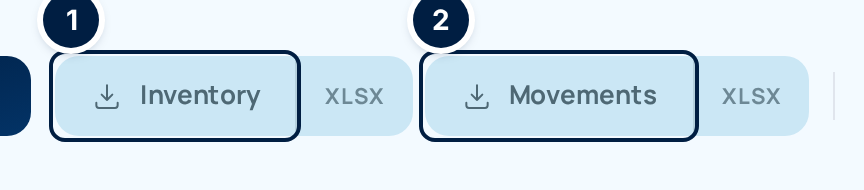
The movements file covers the last 12 months up to today.
Every field and option
Buttons
| Field or control | What it means | Required | Default | What changes when you set it |
|---|---|---|---|---|
| Export (Inventory list) | Inventory export as CSV. | — | — | Downloads a file. |
| XLSX (beside Export) | Inventory export as an Excel file. | — | — | Downloads a file. |
| Inventory (supply partner page) | Inventory export for that supply partner, CSV; XLSX beside it for Excel. | — | — | Downloads a file. |
| Movements (supply partner page) | That partner's movements for the last 12 months, CSV; XLSX beside it for Excel. | — | — | Downloads a file. |
Files are named with what they hold, the manufacturer code (or all) and the date, for example consigntrak-inventory-5-20260926.csv. Every download is recorded in the audit trail.
Inventory export columns
| Column | What it holds |
|---|---|
| Item UUID | ConsignTrak's own reference for the item. Leave it alone; an Administrator's bulk import uses it to match rows. |
| Manufacturer code | The supply partner's manufacturer code. |
| Manufacturer name | The supply partner's name. |
| Item number | The part number as the supply partner writes it. |
| Description | The main description. |
| Status | active, inactive or discontinued. |
| UoM | The selling unit of measure. |
| Unit weight | Weight of one unit in pounds. |
| Primary location | The item's main bin. |
| Qty on hand | Units on hand. |
| Qty allocated | Units committed to released orders (the Committed figure on screen). |
| Qty available | On hand minus allocated. |
| Reorder level | The restock level, or 0 when none is set. |
| Last received | Date of the last receiving. |
| Last shipped | Despite the heading, the date of the item's last movement of any kind: a receiving, adjustment or count, as well as a shipment. |
| Last ordered | Date the item was last on an order. |
Movements export columns
| Column | What it holds |
|---|---|
| Date | When the movement happened. |
| Type | receipt, sale, release, adjustment, cycle_count or return. |
| Manufacturer code, Manufacturer name | The supply partner. |
| Item number, Description | The item, as it was written at the time. |
| Qty in, Qty out | Units added or removed. |
| Running balance | On-hand after the movement. |
| Customer code, Customer name | The customer, on sales and releases. |
| Reference | The release, receiving or count number. For an adjustment, the reason code. |
| Unit cost, Unit price | Cost and price recorded on the movement, when there is one. These columns are always in the file, even when prices are switched off on screen. |
The movements file includes cost and price columns whatever the Show prices setting is. Check them before you forward the file outside the warehouse.
An Administrator also has a mass-update version of the inventory export, shaped for editing and importing back. It's on the bulk imports page.
What happens next
Downloading changes nothing in ConsignTrak. The file is a snapshot: stock keeps moving after you download it.
Common problems
The file has more items than the list showed. — The export ignores the search box and filters, and includes discontinued items. Only the supply partner choice carries over.
I can't find a movements download on the Inventory list. — It's on each supply partner's page, under Supply Partners.
"Forbidden" on Movements. — The movements export is for Office and Administrator users.