Cycle counts
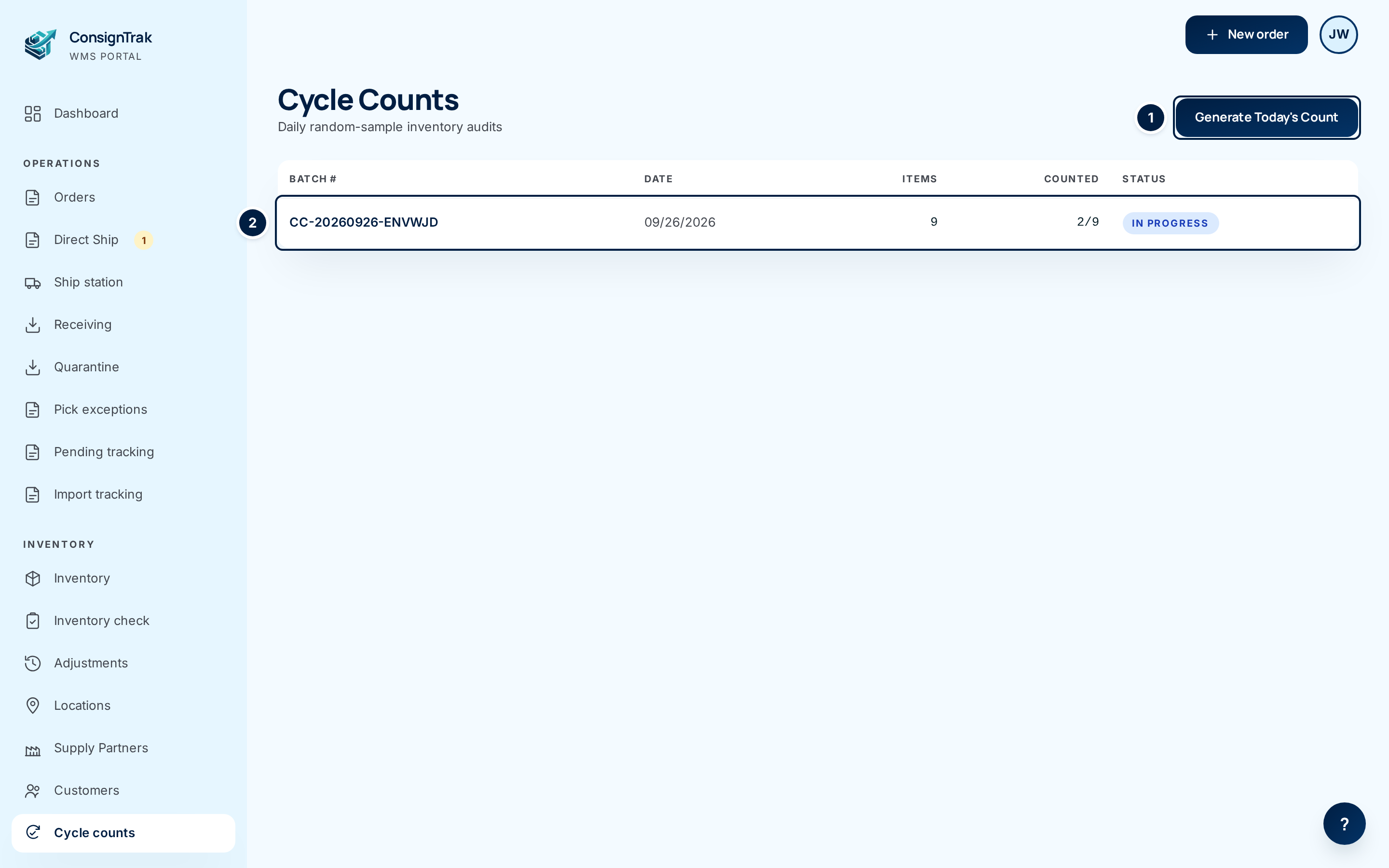
A cycle count is a small count of a few items, done every day, instead of shutting the warehouse down once a year to count everything. ConsignTrak picks the items at random. Someone walks to each item's bin, counts it, and types in the number. ConsignTrak compares that with what it expected, and an office user decides whether to correct the stock.
Why count every day
Every item on the shelves belongs to a supply partner. The warehouse is holding it for them. When the numbers drift, the supply partner is the one who oversells or reorders too late. Daily counts catch drift while it's small and while people still remember what happened.
- Small and steady. Ten items a day is a short walk. Over a year that is thousands of counts, with no shutdown.
- Random. Nobody knows which bins come up tomorrow, so every bin stays honest.
- On the record. Every correction you approve becomes a stock movement with who approved it and when. It shows in the item's history and on the supply partner's statement. See The audit trail.
How a count works
Each day's count is a batch: a numbered list of items to count. A batch goes through three statuses.
| Status | What it means | Who moves it on |
|---|---|---|
| Draft | The batch exists but nobody has started counting. | Warehouse or Administrator chooses Start Counting. |
| In progress | Counts are being entered and differences reviewed. | Office or Administrator chooses Complete when done. |
| Completed | The batch is closed. | — |
The work is split between the floor and the office:
| Step | Warehouse | Office | Administrator |
|---|---|---|---|
| Generate the day's batch | Yes | No | Yes |
| Start counting | Yes | No | Yes |
| Enter counts | Yes | No | Yes |
| Approve a stock correction | No | Yes | Yes |
| Complete the batch | No | Yes | Yes |
Every button shows to everyone. If your role can't do a step, clicking it opens an Access denied page. Ask the other side (or an administrator) to do that step.
The two settings
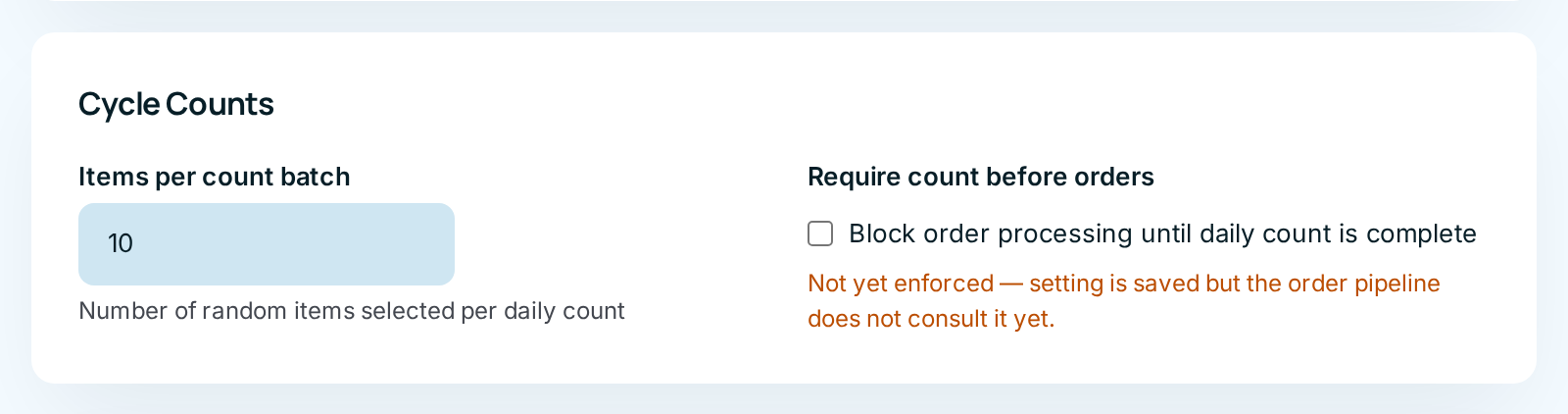
An administrator sets both on the System Configuration page, in the Cycle Counts panel. See System configuration.
| Setting | What it does | Default |
|---|---|---|
| Items per count batch | How many items each new batch picks at random. The box accepts 1 to 100. | 10 |
| Require count before orders | Meant to block order processing until the day's count is complete. It isn't enforced yet. Ticking it saves the choice, but orders still go through, as the orange note under the box says. | Off |
Five to fifteen items suits a small warehouse. Start with ten. If the daily walk takes too long, lower it; if it's over in minutes, raise it.
Which items get picked
ConsignTrak picks at random from active items that have a primary bin. That has two consequences worth knowing:
- An item with no primary bin is never counted. Give every item a primary bin when you put it away (see Locations). A new warehouse where nothing has been put away yet gets an empty batch.
- If fewer items qualify than Items per count batch, the batch is simply smaller. Items with nothing on hand can still come up; count them anyway, since a zero that turns out to be five is exactly what counts are for.
In this section
- Running a count: generate, start, count, approve, complete, with every column and button explained.
- Reading variance: what a difference means, and when to recount instead of approving.
- Counting on a phone is covered in Receiving, quarantine and counts.
Watch the video
Counting on the floor with a phone: