Customers & contacts
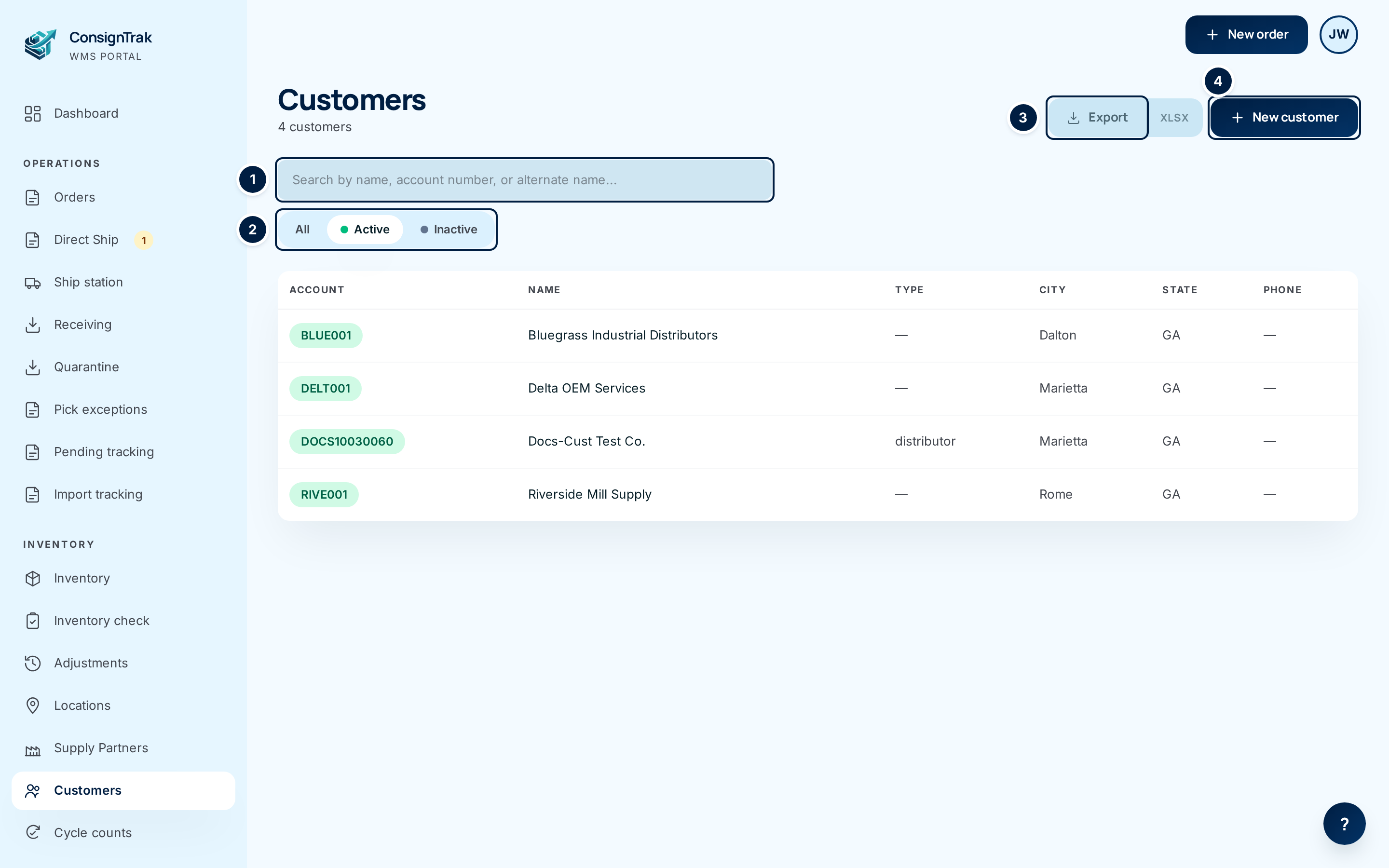
A customer is the company an order ships to: a distributor, an OEM or an end user. Supply partners own the stock; customers receive it. Every order you enter names one customer, so the customer list is the record the office touches most after items.
Each customer record holds more than a name and address:
- Contacts: the people at the customer, with a role for each.
- Drop-ship locations: other addresses the warehouse can ship to on the customer's behalf, such as a job site or their own customer.
- Third-party payers: companies that pay the freight when an order's freight terms are 3rd Party.
- History: every line ConsignTrak has shipped to the customer, plus an archive carried over from the previous system.
Who uses these pages
| Role | What they can do |
|---|---|
| Office | View, add and edit customers, contacts, drop-ship locations and payers. Export the list. Run bulk imports. |
| Administrator | Everything Office can do. |
| Warehouse | Nothing here. Warehouse users see the customer's name and ship-to on the release and the pick screens, not the customer pages. |
| Supply Partner | Nothing here. |
Pages in this section
| Page | Use it when you need to |
|---|---|
| Customer records | Add a customer, read or edit one, understand every field, find its history. |
| Searching and adding from order entry | Find a customer while entering an order, or add a missing one without leaving the order. |
| Drop-ship locations | Save an address the warehouse ships to on the customer's behalf. |
| Contacts and roles | Record the people at a customer and what each one is for. |
| Third-party freight payers | Save who pays the freight when it's billed to a third party. |
| Exporting customers and contacts | Download the customer list or every contact as a spreadsheet. |
How ConsignTrak tells customers apart (the account number, the legacy code from the previous system and alternate names) is explained once, in How customers are identified.
The warehouse ships consigned stock on the supply partner's behalf. The supply partner invoices the customer and sets the price, so a customer record has no terms, credit limit or price list.
Adding many customers at once
To load a customer list from another system, or change many records in one go, use Bulk imports. It is also the only way today to set some fields, such as phone numbers and a customer's Active or Inactive status (see Customer records).