Users & roles
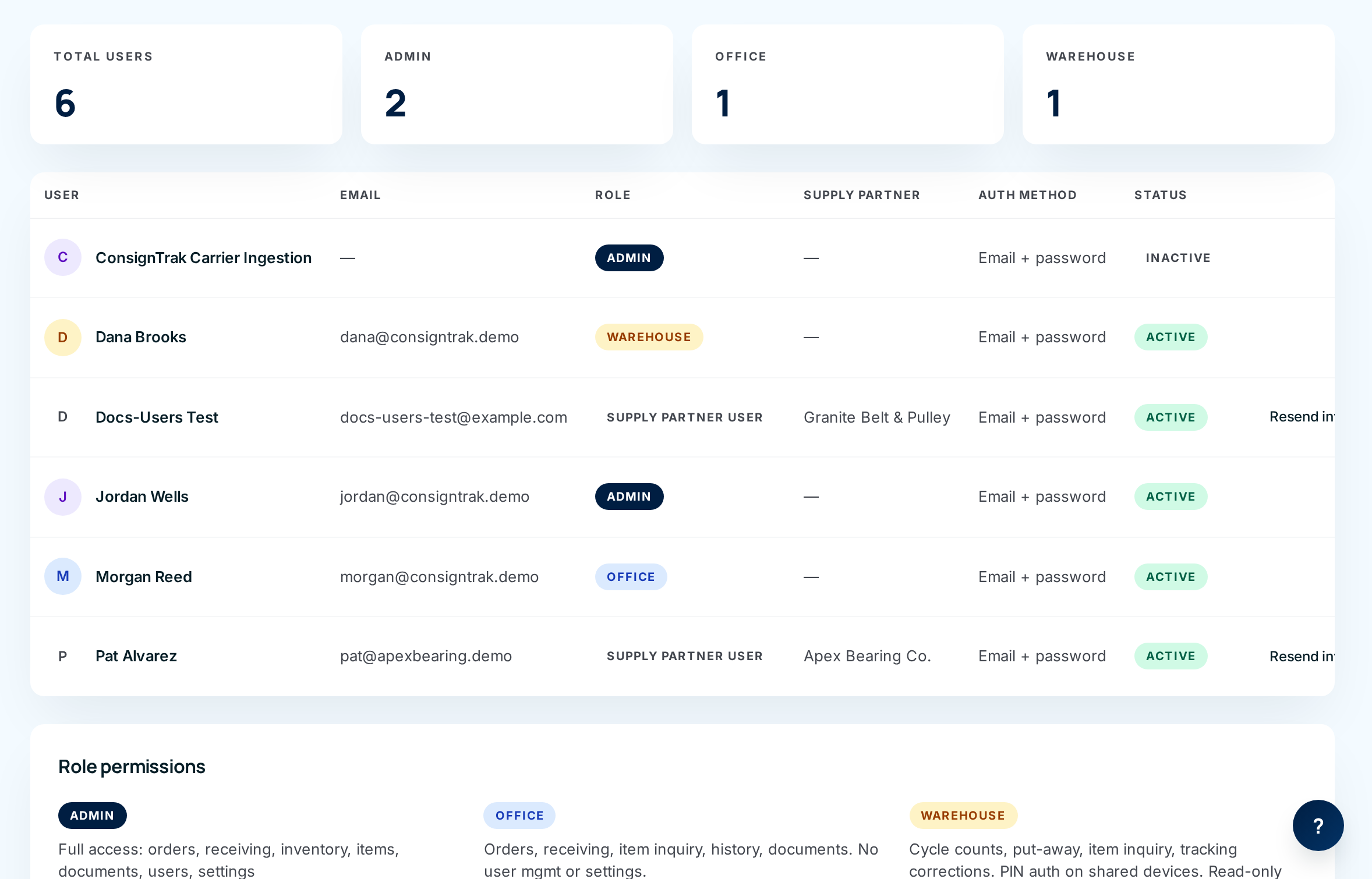
Everyone who signs in to ConsignTrak has their own user: a username, a password and exactly one role. The role decides what they can see and do. An administrator adds users, chooses their roles, and gets them back in when they're locked out or have forgotten a password.
This section is for administrators. If you only want to know what your own role lets you do, read Who sees what.
Where to find it
Open your account menu (your initials, top right) and choose Users. Only Administrators can open it. Other roles see the menu item but get Access denied (see issue #1481).
On a phone, Users is under More. The phone screens are limited today, so manage users from a desktop (see Inviting and managing users).
What's in this section
| Page | Read it when you want to… |
|---|---|
| Inviting and managing users | Add someone, change their role, switch them off when they leave, set a new password, reset or unlock two-factor, or resend a supply partner's invitation. |
| The four roles | Choose the right role for someone, and know exactly what each role can and can't do. |
| Supply-partner scoping | Give a supply partner portal access, or limit a member of staff to one supply partner's records. |
| Permissions by role | Look up every permission, role by role, in one table. |
The short version
- Four fixed roles. Administrator, Office, Warehouse and Supply Partner. You can't create a new role or change what a role is allowed to do from the screens. You choose which role each person gets.
- Staff get a password from you. When you add an Administrator, Office or Warehouse user you type their first password and tell it to them.
- Supply partners get an invitation. A Supply Partner user receives a link, sets their own password, and only ever sees their own supply partner's records in the portal.
- Nobody is deleted. When someone leaves, deactivate them. Their name stays on everything they did, and they can't sign in.
- People can't reset their own password. There's no "forgot password" link. You set a new one for them (see issue #1477).
Every stock movement, release and receiving records who did it. That record is part of what the warehouse reports to each supply partner, so ConsignTrak never deletes a user. Deactivating keeps the history honest.